KVM Configuration Methods
There are several methods to configure a KVM virtual machine, and each method is suitable for different purposes.
The diagram below shows the scope of customization possibilities depending on the method that you are using – CLI, GUI, or editing the XML file directly.
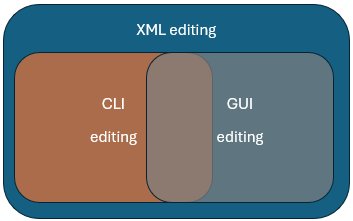
There are pros and cons to each configuration method. Review the table below to decide which method is appropriate for you.
| Pros | Cons | |
|---|---|---|
| CLI ( |
|
|
| Virtual Machine Manager GUI ( |
| Some settings are unavailable. |
| Web-based GUI (Cockpit) |
| Limited ability to create virtual machines and change essential settings. |
| XML editing |
| Higher risk of configuration errors. |
Regardless of the method you use to configure your KVM virtual machine, all settings will be stored in an XML configuration file.
This guide discusses how to perform tasks with your KVM virtual machine using CLI, Virtual Machine Manager GUI, or by editing the XML configuration directly.
Note
A window manager is required on Linux to use the Virtual Machine Manager GUI.
The Cockpit GUI is also a good tool for managing a KVM virtual machine without the need for a terminal, as you can access your virtual machine’s serial console via a browser. Further documentation on Cockpit can be found in this Red Hat Enterprise Linux article.