Secure Boot in KVM Configuration
You can enable or disable the Secure Boot option when running the command to create a new virtual machine or after the virtual machine has been created.
In order to create a KVM virtual machine with Secure Boot enabled by default, use the following --boot parameters on the virt-install command when setting up your VM:
--boot loader=/usr/share/OVMF/OVMF_CODE.secboot.fd,\
loader.readonly=yes,loader.secure=yes,loader.type=pflash,\
nvram.template=/usr/share/OVMF/OVMF_VARS.secboot.fd \
In order to create a KVM virtual machine with Secure Boot disabled by default, use the following --boot parameters on the virt-install command when setting up your VM:
--boot loader=/usr/share/OVMF/OVMF_CODE.secboot.fd,\
loader.readonly=yes,loader.secure=yes,loader.type=pflash,\
nvram.template=/usr/share/OVMF/OVMF_VARS.fd \
You can enable Secure Boot on an existing virtual machine by editing its XML configuration. To disable Secure Boot, follow the instructions in the Secure Boot in UEFI section.
-
Run the following command to use the nano editor:
sudo EDITOR=/usr/bin/nano virsh edit vm-name -
Edit the
oselement as follows, specifying the name of your VM:<os> <type arch="x86_64" machine="q35">hvm</type> <firmware> <feature enabled='yes' name='enrolled-keys'/> <feature enabled='yes' name='secure-boot'/> </firmware> <loader readonly='yes' secure='yes' type='pflash' format='raw'> /usr/share/OVMF/OVMF_CODE.secboot.fd</loader> <nvram template='/usr/share/OVMF/OVMF_VARS.secboot.fd' templateFormat='raw' format='raw'> /var/lib/libvirt/qemu/nvram/vm-name_VARS.fd</nvram> . . . </os>Make sure that the
enrolled-keysandsecure-bootfeatures are enabled as shown above. -
Reset the NVRAM configuration by running the command below.
Caution
Resetting NVRAM will remove all VM-specific UEFI settings, including boot options and any certificates or keys enrolled after NVRAM was created.
sudo virsh start vm-name --reset-nvram
After you have configured the Secure Boot option, you can enable/disable it in the UEFI menu.
Secure Boot in UEFI
Follow the steps below to enable or disable Secure Boot in UEFI.
-
Start your KVM virtual machine and enter
EXITat theBOOTMGR>prompt. -
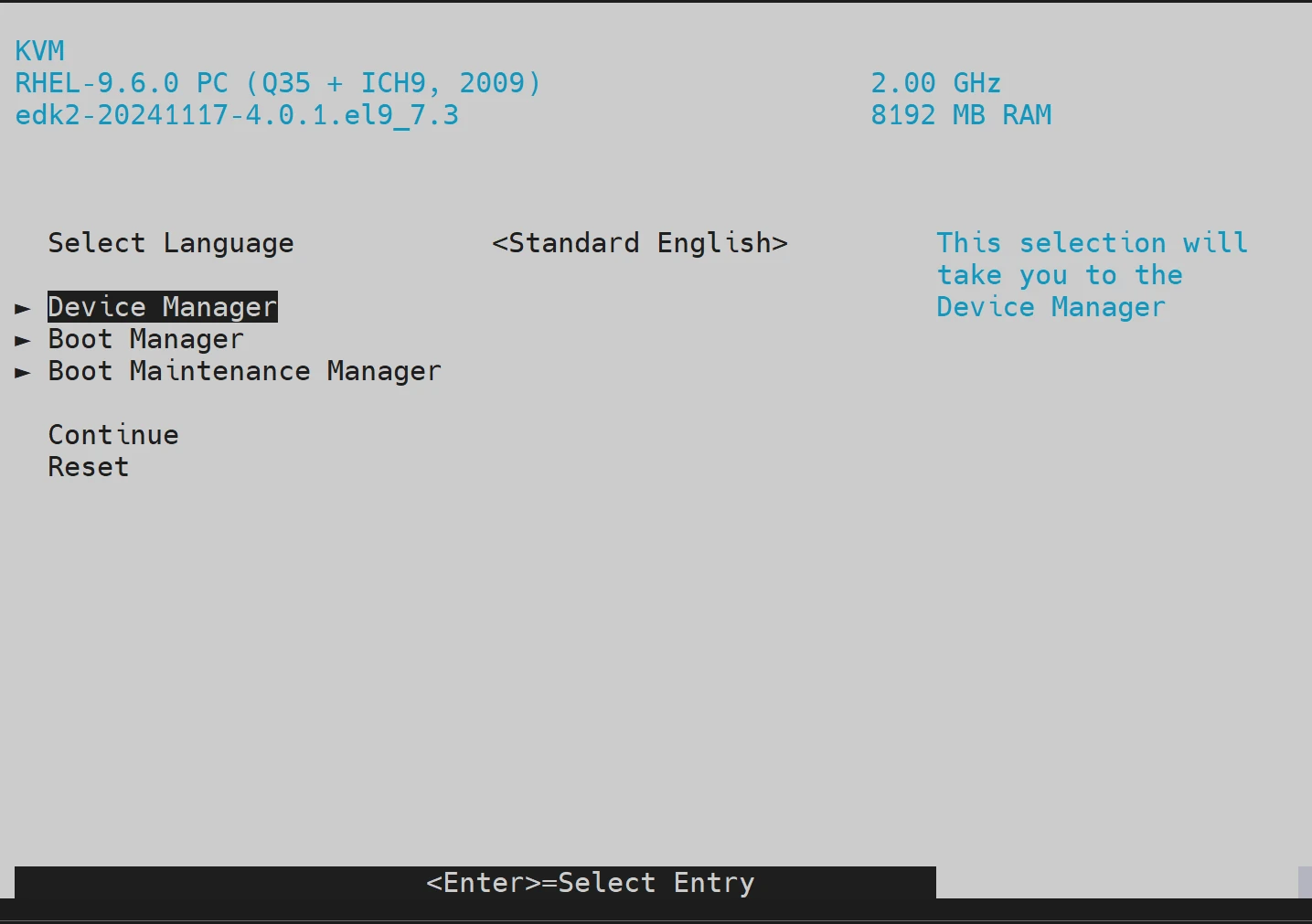
Press Esc. The UEFI screen will appear.
-
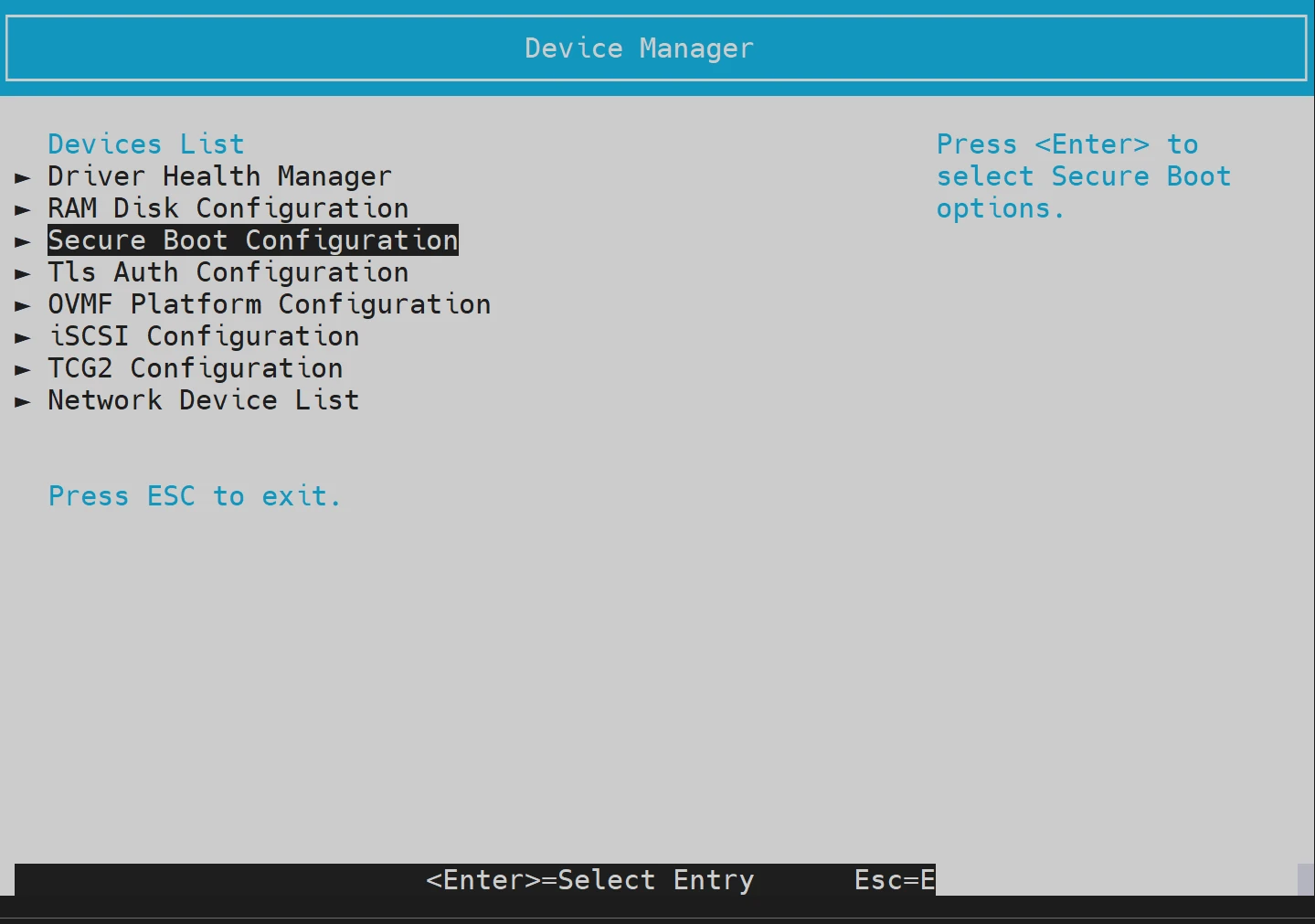
Select Device Manager and then Secure Boot Configuration.
-
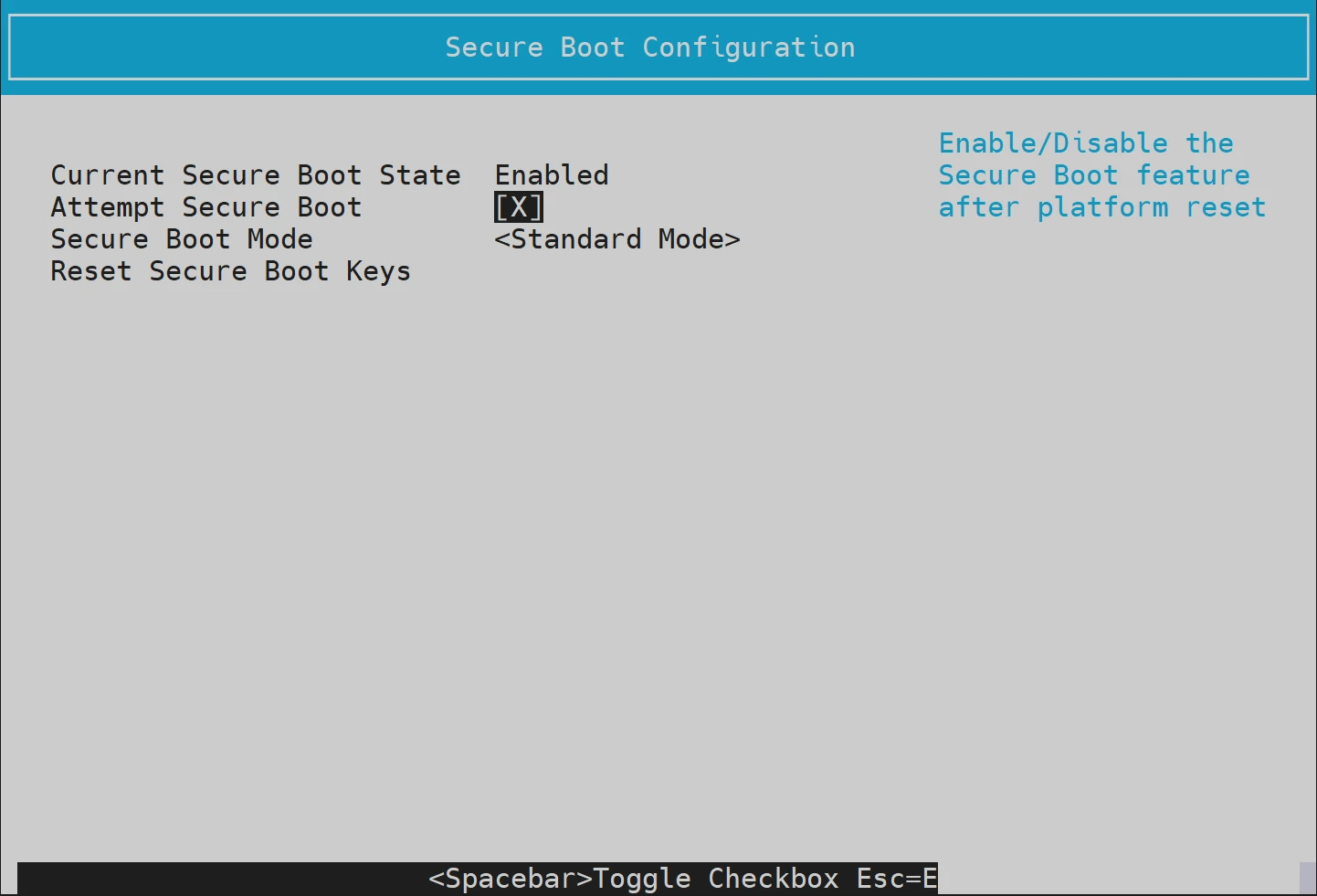
Select the Attempt Secure Boot option and press Space to toggle the enabled/disabled state. The "X" symbol enables the Secure Boot option; empty square brackets ("[ ]") disable the Secure Boot option.
-
Press Esc to exit the UEFI menu.