Adding Network Adapters to your ESXi VM
Attention
Some network configuration changes may require TCP/IP, LAN Failover, or VLAN definitions reconfiguration. It is recommended to record the VM NIC configuration before adding, removing, or changing NICs. See Next Steps for more information.
Perform the following steps to add new virtual Network Interface Cards (vNICs) to your virtual machine:
-
Open your virtual machine configuration page by clicking on your VM in the left pane of the ESXi Host Client window or by clicking Virtual Machines and selecting your VM from the list.
-
On your virtual machine configuration page, click Edit. In the Edit Settings window, click Add Network Adapter.
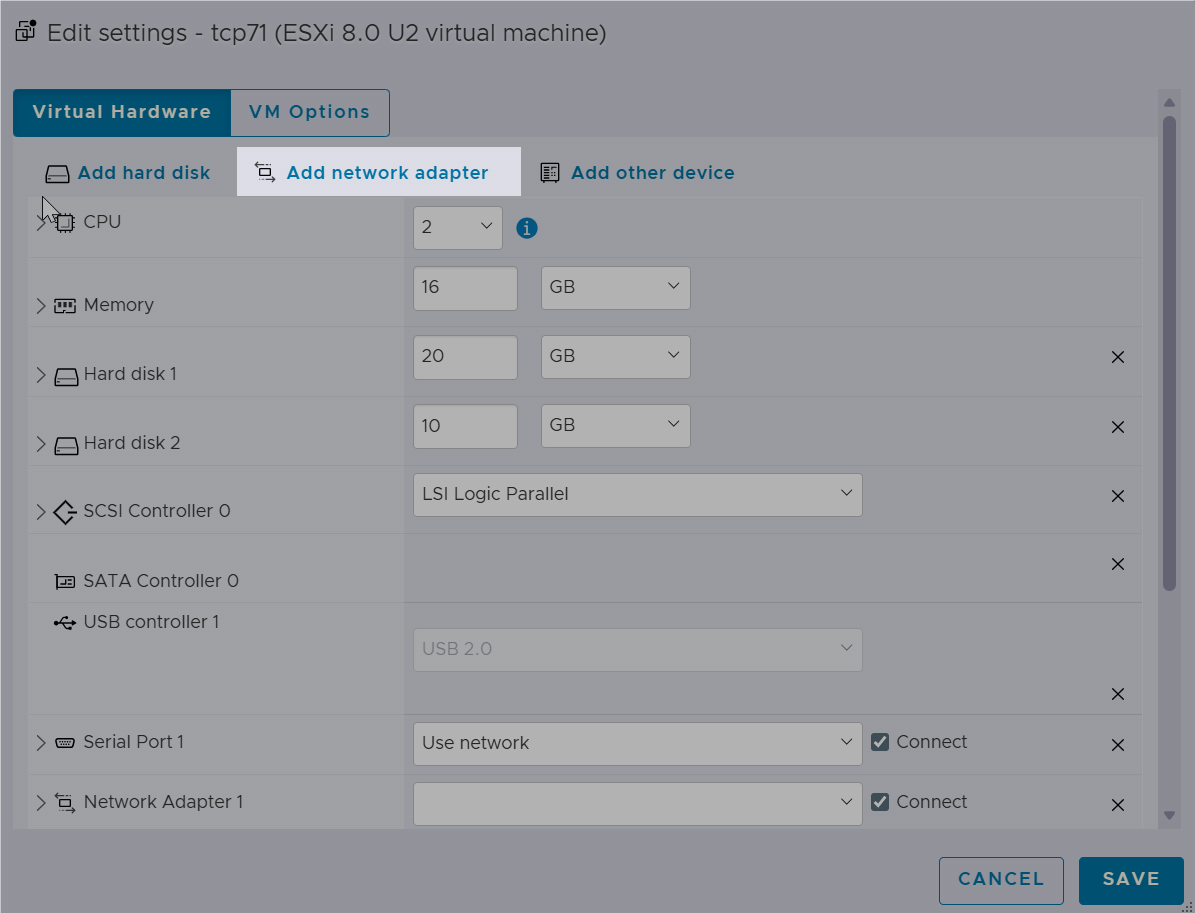
Use separate network adapters to isolate management, DECnet, and application traffic when required by your network design.
Attention
The use of DECnet or LAN Failover requires specific settings to be enabled or disabled. Refer to the Blocked Network Traffic section for more details.
-
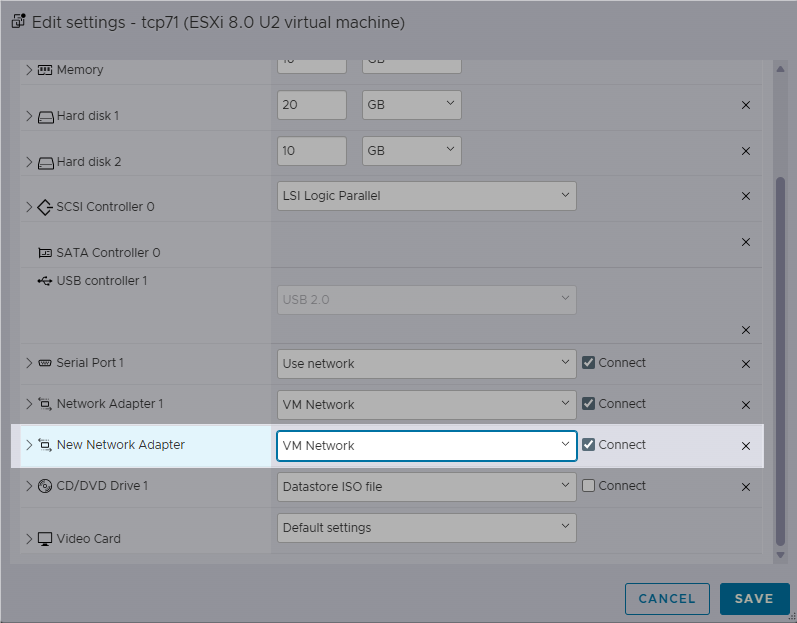
A New Network Adapter section will be added to the list of settings. Choose VM Network from the drop-down list.
-
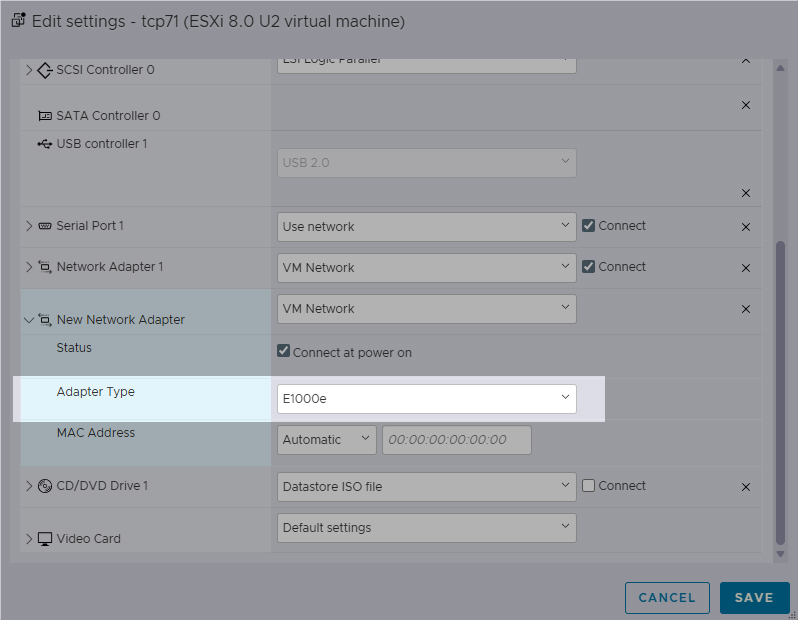
Expand the New Network Adapter section by clicking the arrow on the left. Choose one of the supported network controllers as Adapter Type. Find the current information about the supported hardware on the Supported Platforms page.
Restriction
The VMXNET 2 adapter type is not supported.
-
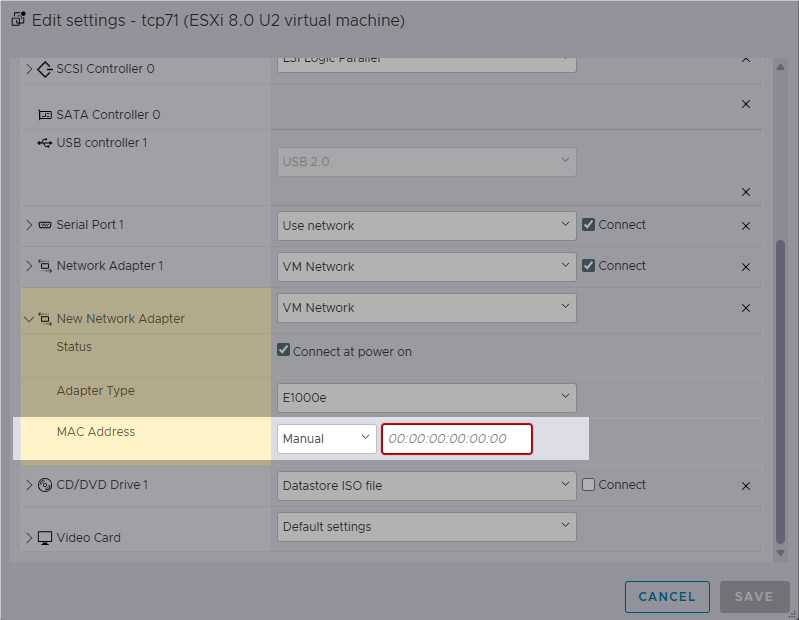
Optional: It is also possible to specify a custom MAC address after selecting Manual in the drop-down list.
-
Reboot the system for the changes to take effect.
Important
Changing the adapter type from VMXNET 3 to E1000 or E1000e requires deleting the existing network adapter and then adding a new one of the desired type.
Next Steps
After the network configuration change, you may need to reconfigure TCP/IP, LAN Failover, or VLAN definitions.
-
Boot OpenVMS and issue
MCR LANCP SHOW CONFIGURATION(orSHOW CONFIGURATION/USERS), comparing the adapter types and MAC addresses against the VM NIC configuration. -
Adjust your applications (TCP/IP, LAN Failover, VLAN definitions) to use the correct network adapters.
For information on how to do so, refer to the System Manager’s Manual Volume 2: Tuning, Monitoring, and Complex Systems.