Allowing MAC Address Changes
By default, the ESXi host denies requests to change the MAC address of a virtual machine to the one different from the initial MAC address. However, for DECnet using Phase-IV addressing and for LAN Failover to work, you must allow virtual machine MAC address changes.
To do so, perform the following steps:
-
In the browser, open the ESXi Host Client, power off your virtual machine, and click Networking in the left pane.
-
From the list in the main window, select the port group to which your virtual machine is assigned.
-
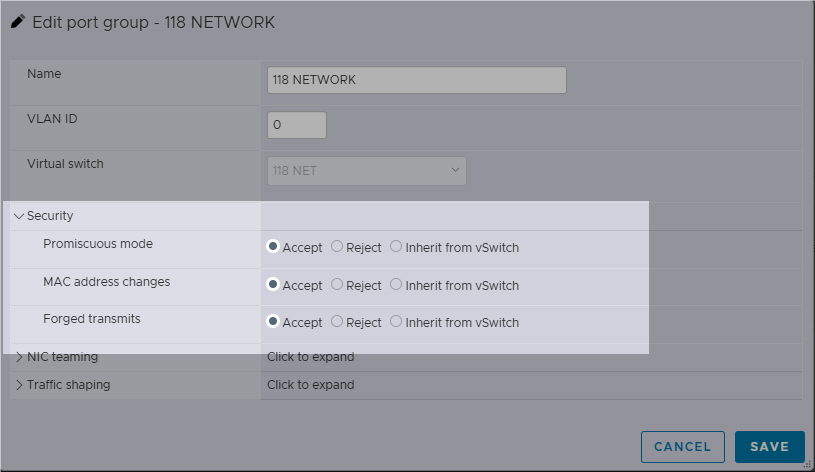
Click Edit Settings and expand the Security category.
-
Set Promiscuous mode, MAC Address Changes, and Forged Transmits to Accept.
-
Click Save.